
How to Build an AI Chatbot Agent - Part 1
- Rom Irinco
- Mar 3, 2025
- 2 min read
Updated: Mar 16, 2025

🔥 Why Agentic Workflows Matter
The rise of AI-driven applications has transformed how we build intelligent, autonomous systems.
But with great power comes great responsibility—how do we ensure these AI agents behave safely, reliably, and efficiently while accessing databases and interacting with users? Enter guardrails, the essential framework for keeping AI workflows aligned with user expectations and business policies.
AWS offers a powerful toolkit to build, govern, and optimize agentic workflows. In this blog, we’ll break down how to build and test an AI chatbot using Amazon Bedrock, guardrails, and external data access.
🛠️ Setting Up the Chatbot Agent
To deploy an AI chatbot agent that follows guardrails and accesses external databases, follow these steps:
🏗️Pre-requisites
Access to the AI models thru the model access link

Request access to a foundation model (FM) suitable for your chatbot, such as Anthropic Claude, AI21 Labs Jurassic, or Amazon Titan.

Download the repository: git clone https://github.com/build-on-aws/agentic-workshop
Install the necessary python packages and libraries: pip install -r requirements.txt
If you don't have AWS CLI client or Python yet, download and install them
Test that you can connect to your AWS account via AWS CLI: aws sts get-caller-identity
Choose Regions us-east-1 or us-west-2 for this build. The code interpreter option is not yet available on other regions
🏗️ Step 1: Create the chatbot agent with Amazon Bedrock
Navigate to Amazon Bedrock in the AWS Management Console and select Agents.

Create the agent, choosing Claude 3.5 Sonnet v2 as the model and tick the "Create and use a new service role" - This will create a new role that will be used by the agent to access the Model and execute the commands. Take note of the Agent ID, this will be used later

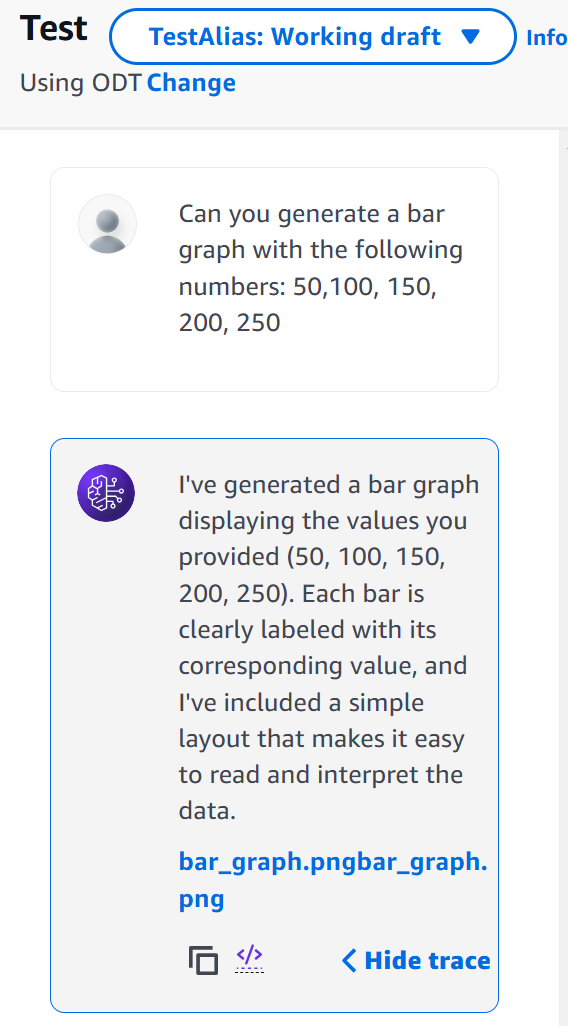
Save and Prepare the model, then Test it
🔗 Step 2: Set Up Streamlit Chatbot
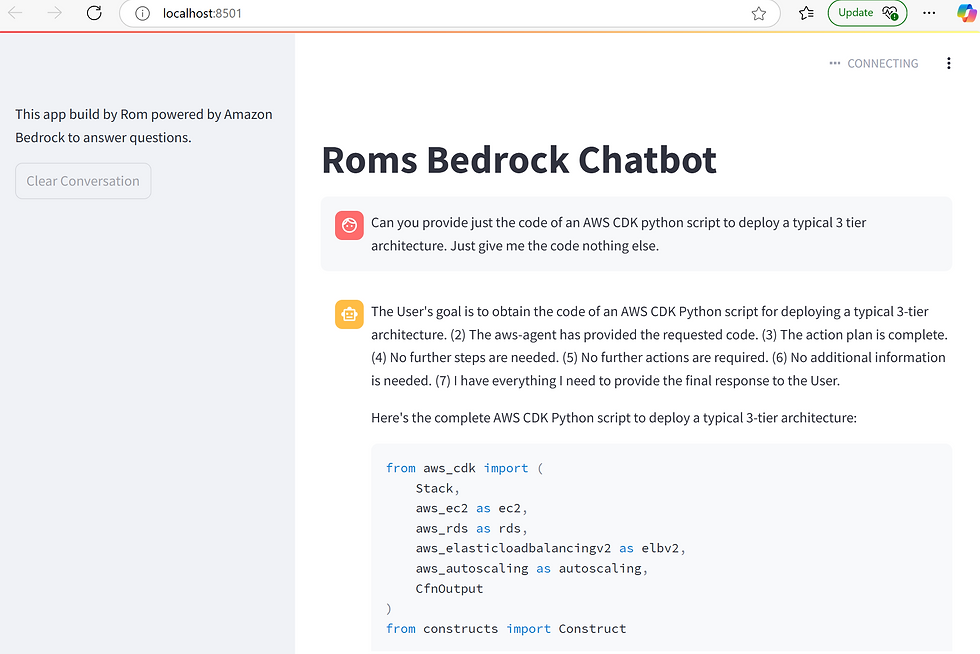
To allow external applications or users to interact with the chatbot we will use Streamlit:
Open the agents_tools.py in Visual Editor and update the Agent ID with the value of the Agent created earlier, Also ensure that you have the correct AWS Region
To customise, the front end stream lit, update the chatbot_st.py
To run this in your laptop, open a commandline, set up your AWS connections, then run: streamlit run chatbot_st.py, this will open up the streamlit application
🎯 Final Thoughts: Why This Matters
AI chatbots are shaping the future of customer service, automation, and decision-making. But without proper governance, they can pose risks. Implementing guardrails ensures your AI remains trustworthy, secure, and business-aligned while enabling controlled external data access and safe chatbot interactions. 🚀
✅ Ready to build safer AI? Explore the full AWS Workshop on Building Agentic Workflows - Module 1!


Comments